Your Campaign Is Only as Good as Your Tags
Table of Contents
Here’s a true story with a real client. A brand (who shall remain nameless) paused all media spend after performance slowed. Everyone assumed the campaign setup was to blame. So we performed an audit, and really dug deep into what was happening on the site. What we found was that there was no native conversion tag on the site, so the bidder had been optimizing on secondhand data the entire time.
This is an unfortunately common story, common to big and small companies alike. Most underperforming campaigns we audit trace back to measurement errors, not campaign setup.
Every DSP, search engine and social platform optimizes toward the conversions a company sends it. If those conversions are missing, inflated or untraceable, algorithms learn the wrong lesson. More budget teaches the wrong things faster.
What we look at
Any time a new potential client reaches out, or invites us into an RFP, AdNode performs an audit that loads the client’s site the way a real visitor would, and records everything that fires. We check whether a CMP is deployed and whether tags actually wait for a user’s choice. We inventory every pixel and script, including ones outside a tag manager. We test how long tracking cookies really survive, browser by browser. And we map which conversions reach each ad platform, how they get there, and which ones actually matter rather than just adding noise.
Our AI-native tools handle traffic capture and classification. We also fire various conversions by hand, in some cases even making test purchases. Then we review every finding before presenting to the client.
What we usually find
-
Consent that isn’t really consent. The most common finding is Consent Mode defaulted to “granted,” with no CMP behind it. It looks compliant in Google Tag Manager (GTM) and isn’t, creating legal exposure and data a campaign may not be allowed to use. Global Privacy Control often gets ignored too, even though several US state privacy laws treat it as a valid opt-out. Session replay and enhanced conversion tags can also send page content or hashed user data from pages nobody reviewed, which is serious on health, finance or insurance sites.
-
Attribution that can’t be trusted. Safari caps JavaScript-set cookies at 7 days, regardless of the expiration the tag sets. So any consideration cycle longer than a week, on iOS devices, falls out of attribution. Many accounts import conversions from GA4 instead of tracking them natively, so when CPA is the KPI, the bidder is optimizing on a delayed, secondhand signal. And a Meta pixel firing only PageView can optimize for visits, not customers.
-
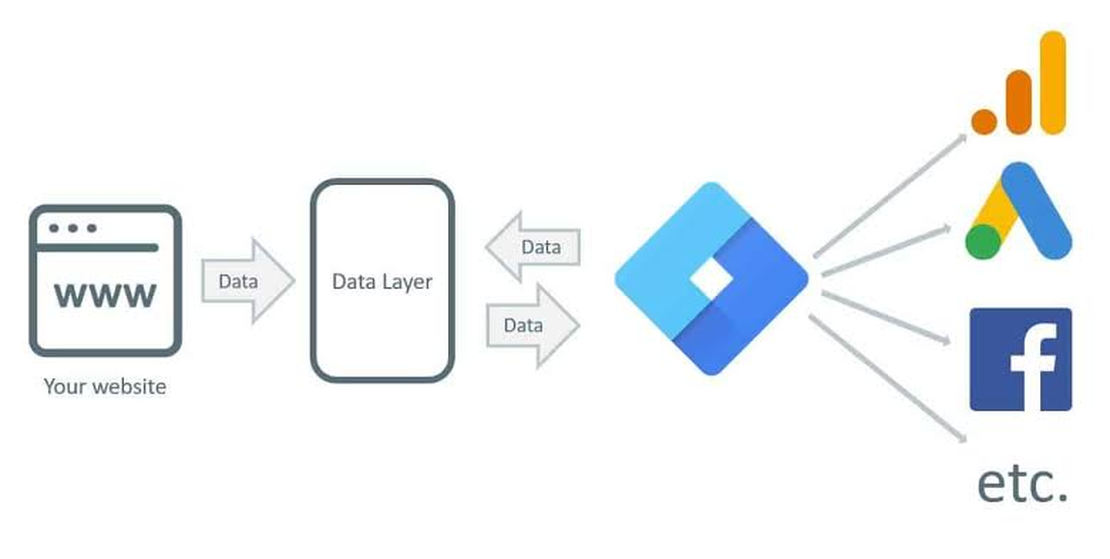
Tags nobody controls. Pixels from past agencies keep firing, sometimes into accounts no one on the current team owns. Clients have little to no say in how that data gets used. CDPs like Segment can also run a shadow tag layer, firing ad pixels outside GTM, where they can get duplicated and bypass consent rules.
Track outcomes, not proxies
The best way to set a campaign up for success is to make sure tags record real, verifiable business outcomes: a qualified lead, a booked appointment, a policy bound or an order shipped, rather than page views or “engaged sessions.”
Every conversion should pass three tests. First, it should match a trusted record, so if the platform says 400 signups, the CRM should too. Secondly, it should fire once, on the action itself, with consent. Lastly, it should reach the platform directly, through native tags or server-side connections. A chain of conversion exports hitting a buying platform can work, but we find that they tend to break, and often break silently.
When conversions pass, optimization works as intended. Bidders find more people like real customers, and CPA means what it says.
Where to start
While we’re happy to do these audits for you, if you’d like to start on your own, compare last month’s platform conversions for your top KPI against your CRM system. Then open your site in a private browser window, fire up developer tools, decline the cookie banner, and see what still fires, noting who owns each pixel on your checkout or lead form.
Any surprises? That’s where an audit pays for itself, and we’d be happy to run one for you.